Find companies
- Input
- An ICP expressed in plain language
- Output
- A shortlist with inclusion reasons
Limit: broad criteria create broad results; refine the brief before trusting rank order.
ACCOUNT RESEARCH, WITH THE WORK SHOWN
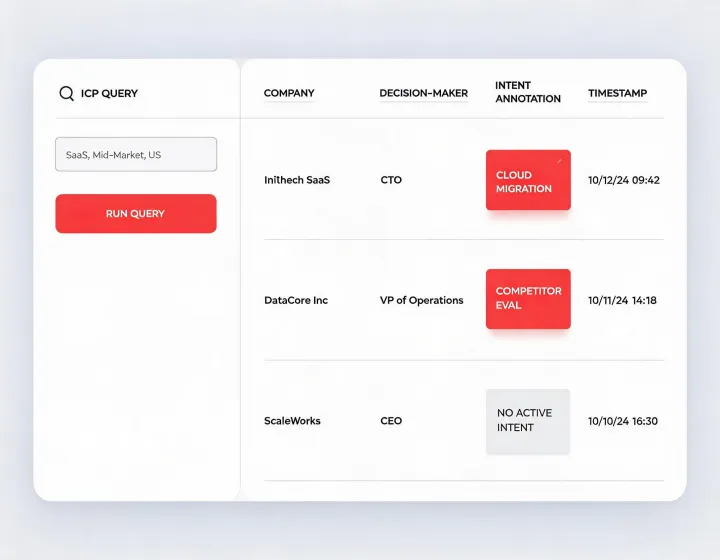
Turn an ideal customer profile brief into a reviewable company and decision-maker research trail inside your AI agent. Examine the inputs, source notes, and confidence before any outreach leaves your desk.
RESEARCH CONTRACT
Each run begins with explicit criteria, not a hidden score. The grouped specification keeps targeting logic visible to RevOps and sales leadership.
CAPABILITY EVIDENCE
Limit: broad criteria create broad results; refine the brief before trusting rank order.
Limit: titles do not prove authority, so the agent marks role inference for review.
Limit: intent signals indicate possible interest, not a confirmed buying project.
Limit: sending, consent, opt-out, and regional compliance remain your responsibility.
INSTALLATION RUNBOOK
npx -y @okki-global/okki-go-taroballSuccess signal: the exact command is in your clipboard.
Execute it in a supported local agent environment. Review the package prompt and terminal output before proceeding.
Add only the data-provider credentials your workflow needs. Store API keys in the runtime's secret mechanism, never in a prompt.
Start with a narrow ICP query, inspect source notes, and approve or reject the evidence before using the result.
REVIEW NOTES
No. Copying only places text in your clipboard. You must run it, review the runtime output, configure access, and test a first result.
No. Contact freshness and role relevance vary by source and configuration. Verify critical fields before outreach.
The operating model keeps draft review explicit. Your organization controls sending tools, suppression, consent, opt-out, and sender authentication.
Treat it as prioritization evidence, not proof of a purchase. Check the signal definition, time window, account match, and corroborating context.
Use the agent runtime's supported secret store or environment configuration. Do not paste credentials into chat history or committed files.
Use the package and runtime controls documented during installation. Revoke provider keys separately when retiring a workflow.